Best AI Product Photography Tools for Macro Close-Up Product Detail Images (2026): Photoroom vs Photta vs Flair
Contents
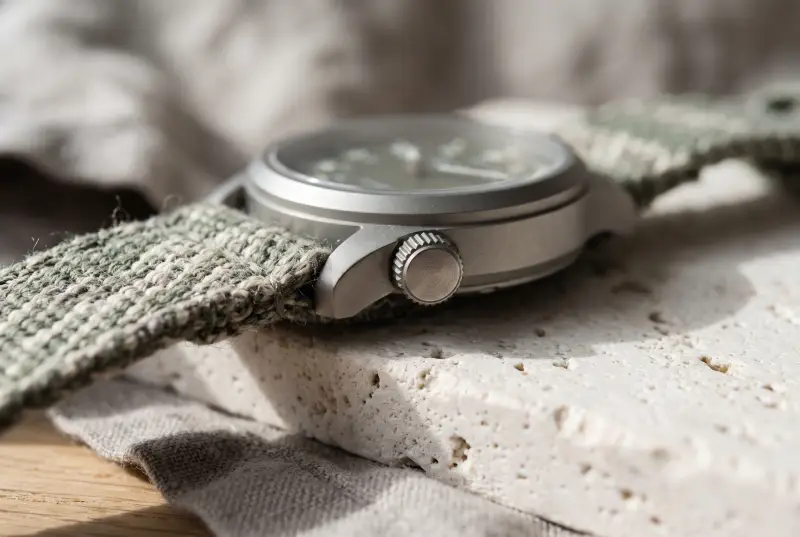
The best AI tool for close-up product photos depends on whether the detail has to be real. For true stitching or engraving, crop your own photo and enlarge it with Photoroom’s Photo Enhancer, from $12.99 a month; it enlarges a photo and does not generate a close-up. For a macro-style shot generated from one product photo, Photta’s Macro Product Photography costs about $0.16 to $0.25 a photo; compare it with the real product. Flair’s footwear and handbag pages show generated “Product Detail” close-ups. For several detail shots from one picture, use getimg.ai or OpenCreator; for fixed framing controls, Nightjar; for close-ups on a model, Rawshot.ai; to enlarge a crop, Upsampler, Recraft or Bria. Photoroom’s, Photta’s and Flair’s pages were read on 18 November 2026, every other vendor’s on 15 November 2026.
This list was built from each vendor’s own product, pricing, help and documentation pages: Photoroom’s, Photta’s and Flair’s on 18 November 2026, every other vendor’s on 15 November 2026. The order is not a score, and every entry is held to the same rule: only what the vendor’s own pages state.
Key takeaways
- Three vendors say in writing that a generated close-up can invent detail. getimg.ai says details the camera never captured are “filled in by the AI”, Wiro’s blog calls small details “plausible rather than dependable”, and Nightjar calls a generated close-up “a new synthetic view”.
- A crop of your own photo is the close-up that stays real. Nightjar’s help page says only a manual crop keeps product pixels unchanged, and Upsampler’s faithful models, Recraft’s crisp upscale and Bria’s endpoint enlarge that crop without regenerating it.
- Stated cost per generated close-up runs from about $0.125 to $0.56. Photta is about $0.16 to $0.25, Nightjar states $0.125 to about $0.17 an image, AI-Flow is about $0.30 to $0.37, Wiro $0.50 a run, Rawshot.ai $0.45 to $0.56 and Flair about $0.25 to $0.33.
- Few tools state an output size. Photta gives 2K on every account and 4K on the Seller and Brand plans, Nightjar and Rawshot.ai give 2K or 4K, getimg.ai goes up to 4K, and Upsampler enlarges to 100 megapixels.
Photoroom vs Photta vs Flair for macro close-up product images
| Tool | Best for | Is the detail real or generated? | Starts from | Free start |
|---|---|---|---|---|
| Photoroom | Enlarging your own crop in an editor | Real, enlarged; not a close-up generator | $12.99 a month | Free start; trial |
| Photta | A macro shot of texture and finish | Generated from your photo | $19 a month | 5 photos, watermarked |
| Nightjar | Fixed framing and camera distance | Generated; a manual crop stays real | $25 a month | 6 photos at 2K |
| getimg.ai | A set of detail shots at once | Generated; its page says so | $15 a month, billed yearly | Not stated |
| Wiro AI Product Photoshoot | Paying per run, or by API | Generated; “plausible rather than dependable” | $0.50 a run | Not stated |
| AI-Flow | One close-up inside a four-shot set | Not stated on its pages | $4.99 for 200 credits | Free credits, amount not stated |
| OpenCreator | Close-ups plus lifestyle from one reference | Generated from a reference image | $39 a month | 500 credits a month |
| Rawshot.ai | Close-ups worn by a model | Generated, on a model | $9 a month | 7-day trial, 10 images |
| Upsampler | Enlarging your own crop, pay as you go | Real, enlarged, on faithful models | $0.04 a credit | Not stated |
| Recraft Upscale | The lowest listed price per enlargement | Real, enlarged, on crisp upscale | $0.004 a request | Not stated for upscaling |
| Bria Increase Resolution API | Stores with a developer and many crops | Real, enlarged; adds no new detail | $0.032 an image | 100 free generations |
| Flair | Styled detail shots of shoes and bags | Generated; variation by design | $8 a month | 5 free images |
Real detail or generated detail in close-up product photos
A close-up for a listing can be made in two ways.
A generated close-up is drawn by an image model. You give it a product photo, and it renders a new view from nearer in. Anything the camera did not record is filled in with something that looks likely. The stitch count, an engraving or small print can differ from the item you ship.
A cropped and enlarged close-up is cut from your own photo and made bigger by an upscaler that keeps the content. Every stitch in it was in front of your camera. It cannot show more than the source recorded, so a soft photo gives a soft crop. Our guide to upscaling product photos covers that step.
Use the first for mood and texture, the second for proof.
The 12 best AI tools for close-up product photos
1. Photoroom: enlarging a crop into close-up product photos with its Photo Enhancer
Photoroom is a product photo editor on the web, iPhone, iPad and Android, and its pages read do not name a close-up or macro feature. Its Photo Enhancer enlarges an existing photo, so the seller crops the detail first. The page says it can “upscale images without losing detail”; the upscale factor is not stated.
- Is the detail real or generated?: Real: it enlarges your own crop, and its page says it improves quality without changing the product’s appearance.
- Price: Pro is $12.99 a month, or $89.99 a year ($7.50 a month), with 8,000 AI credits and 1,000 exports a month; Max is $34.99 a month and Ultra $99 a month, with 25,000 and 75,000 AI credits.
- Free start: Its pages say you can get started for free, and the pricing page offers a free trial whose length is not stated.
- Not for: A new close-up made from a full product photo: the Photo Enhancer enlarges an existing photo and does not generate a close-up.
2. Photta: macro-style close-up product photos generated from one photo
Photta is an AI product photography studio that runs in the browser, and Macro Product Photography is one of its tools. What goes in is a photo of the product. What comes out is a macro-style close-up of its texture and detail, at 2K on every account and at 4K on the Seller and Brand plans, in 1:1, 3:4, 4:3, 16:9 or 9:16. The seller chooses the photo, the size and the shape of the frame. Jewelry has its own macro workflow for rings, necklaces, earrings and bracelets. A developer API is included on every plan.
- Is the detail real or generated?: Generated from your photo, not cut from it: compare texture, label text, stones and engraving with the real product.
- Price: About $0.16 to $0.25 a photo at 2K on the monthly plans, from $19 a month; 4K is on the Seller and Brand plans. Without a plan, one-time packs of $12 or $20 never expire.
- Free start: A new account starts free with no card, enough for five product photos at 2K; free results carry a watermark until a first purchase.
- Not for: Proof of construction: to show the exact stitching, hallmark or small print, crop a real photo instead.
3. Nightjar: close-up product photos from a fixed Macro framing control
Nightjar is an AI product photoshoot app for the web, Shopify and an API. For a product-only close-up the seller picks Macro in the Framing control; with a model, a Close-up camera distance. Images are 2K or 4K.
- Is the detail real or generated?: Generated, and its help page says so: a generated close-up is “a new synthetic view”, only a manual crop keeps the product pixels unchanged.
- Price: Studio is $25 a month for 150 credits, about $0.17 an image; Studio+ is $50 a month, $0.125 an image. A 4K image uses two credits.
- Free start: Six free credits with no card, enough for 6 product photos at 2K.
- Not for: Regulatory text or an ingredient label: its own help page advises a macro photograph of the real label for those.
4. getimg.ai: four, six or eight close-up product photos from one picture
getimg.ai is an AI image and video platform with a tool called Zoom on details. The seller adds one photo of a product, a garment or a room, chooses 4, 6 or 8 details, and downloads separate close-ups of textures, materials and finishes, up to 4K.
- Is the detail real or generated?: Generated: its page says fine details the camera never captured are “filled in by the AI”, and tells sellers to check close-ups against the real item.
- Price: Entry is $15 a month, billed yearly at $180, for 8,000 credits a month; The credits used per detail image are not stated.
- Free start: Not stated on the pages read; commercial rights are listed on paid plans.
- Not for: Showing real construction, by the page’s own warning.
5. Wiro AI Product Photoshoot: pay-per-run close-up product photos with no subscription
Product Photoshoot is a pay-per-run model on Wiro’s AI model and API platform. The seller uploads one product image, picks a style such as studio, minimalist or luxury, and picks a framing plan, one of which is close-up.
- Is the detail real or generated?: Generated. Wiro’s own blog says of its close-up output that small details are “plausible rather than dependable product documentation”.
- Price: The model costs $0.50 per run, prepaid and usage-based. The number of images per run is not stated.
- Free start: Not stated on the pages read.
- Not for: Factual detail shots. By the vendor’s own account the output suits mood and editorial images.
6. AI-Flow: a four-shot set that includes close-up product photos
AI-Flow is a template-based workflow site. Its Product Shots template takes one product photo and, with no prompt, returns a two-by-two set: a wide shot, a medium shot, a close-up and a dynamic angle, as one grid and as separate panels.
- Is the detail real or generated?: Its pages do not say whether the detail is real or generated; they say the product stays “visually consistent” across the four shots.
- Price: Credit bundles are $4.99 for 200, $9.99 for 500 and $29.99 for 1,500. A photoshoot of four images costs 60 credits, about $0.30 to $0.37 an image.
- Free start: Free credits to try with no card; the amount is not stated.
- Not for: A macro of one chosen area: the set is fixed at four shots.
7. OpenCreator: workflow templates for close-up product photos and texture shots
OpenCreator is a workflow-template platform. Its templates include Close-up Texture Shots, a multi-angle set with optional detail close-ups, and a nine-image set from one reference photo: three detail close-ups, three lifestyle scenes with a model and three still lifes.
- Is the detail real or generated?: Generated. Its template page says an image model creates the close-ups and follows the reference image for shape, proportions, colors and design details.
- Price: Starter is $39 a month, or $27 a month billed yearly, for 15,000 credits that do not roll over. The credits used per image for these templates are not listed.
- Free start: A free tier with 500 credits a month and limited model access.
- Not for: A seller who wants one sure result: its template page asks the user to select the most accurate shots.
8. Rawshot.ai: on-model close-up product photos for fashion and jewelry
Rawshot.ai is a click-based AI fashion photography tool with no prompts. The seller imports the product, chooses a model, pose, light and composition, and gets on-model images, including close-up framings for fashion, jewelry, footwear and accessories, at 2K or 4K. Every image carries C2PA AI labelling.
- Is the detail real or generated?: Generated on a model; its page says each image is checked against the chosen model, frame, view and pose before delivery.
- Price: Starter is $9 a month for 16 images, $0.56 an image; Business is $179 a month, $0.45 an image.
- Free start: A 7-day free trial with 50 credits, which is 10 images.
- Not for: A macro crop of a packshot with no person in it, or sellers who do not want AI labelling embedded in listing photos.
9. Upsampler: enlarging a crop into close-up product photos with faithful models
Upsampler is an upscaler: the seller crops the detail from their own picture and uploads it. It upscales to 100 megapixels in the browser or by API and labels its models as creative or faithful.
- Is the detail real or generated?: Real on a faithful model: its site says faithful models preserve the original, while creative models regenerate the image.
- Price: Pay as you go is 4 cents a credit with no monthly fee; Pro is $15 a month for 1,000 credits. Upscaling uses 0.25 to 1 credit per megapixel of output.
- Free start: No free allowance is stated on the pages read; purchased credits never expire.
- Not for: A blurred or tiny source: an enlargement cannot add what the photo did not record, and cost rises with output megapixels.
10. Recraft Upscale: a crisp upscale for enlarging crops into close-up product photos
Recraft is a design and image generation tool that exposes two upscalers through its API: crisp and creative. The seller crops the detail first. Inputs can be PNG, JPG or WebP, up to 16 megapixels and 20 MB.
- Is the detail real or generated?: Real on crisp upscale, which its documentation says keeps the content the same; creative upscale regenerates fine detail.
- Price: Crisp upscale is $0.004 a request and creative upscale is $0.25 a request, paid from prepaid API units that do not expire.
- Free start: A Free plan exists for the Recraft app; whether it includes upscales is not stated.
- Not for: Sellers who want a point-and-click app with a known price: these facts are for the API.
11. Bria Increase Resolution API: an API that enlarges crops into close-up product photos without new detail
Bria Increase Resolution is a developer API endpoint that multiplies the resolution of an existing image by 2 or 4, up to a total area of 8192 x 8192 pixels. An option keeps output colors identical to the input.
- Is the detail real or generated?: Real. Its documentation says the endpoint does not add new details and preserves the original image content without regeneration.
- Price: Pay as you go lists Increase Resolution at $0.032 an image, with no monthly fee shown.
- Free start: A free tier with 100 free generations and no card needed.
- Not for: Sellers without a developer or an integration: it is an API, not a point-and-click app.
12. Flair: close-up product photos shown as “Product Detail” shots for shoes and bags
Flair is an AI design canvas: you place the product, drag in props and mix it with templates to stage a scene. Its footwear and handbag pages show close-up “Product Detail” examples of material and design features, and its fashion page an “Accessory Focus” close-up. Its pages read do not name a dedicated macro or close-up tool.
- Is the detail real or generated?: Generated: its FAQ says Flair uses generative AI, which introduces some variation by design, so compare stitching, hardware and logos with the real product.
- Price: Pro+ is $26 a month for 80 generated images and Scale $38 a month for 150, about $0.25 to $0.33 an image; Pro is $8 a month, its image count not stated.
- Free start: A free plan at $0 “forever” with 5 generated images and 1 video; a watermark is not stated.
- Not for: A seller who wants a set macro framing control or proof of construction: its pages show close-up examples but do not name a close-up setting.
How to check close-up product photos before you publish
Open each close-up at full size beside the product itself.
| Check | What to look for |
|---|---|
| Stitching and weave | The same stitch count, direction and thread color as the item |
| Text and logos | Every letter of a label, hallmark or engraving, spelled and placed as on the product |
| Hardware | The real number of rivets, teeth, links, stones and prongs |
If a generated close-up fails any row, use a crop of a real photo for that detail.
Which AI tool for close-up product photos fits your shop
- You need a macro shot of texture or finish from one product photo: use Photta or Nightjar.
- You need several detail shots from one picture: use getimg.ai or OpenCreator.
- You need close-ups of clothing or jewelry worn by a model: use Rawshot.ai.
- You sell shoes or bags and want a styled detail shot staged with props: use Flair.
- You must show the true stitching, engraving or label: crop your own photo and enlarge it with Photoroom’s Photo Enhancer or Upsampler’s faithful models.
- You have a developer and hundreds of crops to enlarge: use Bria’s API or Recraft’s crisp upscale.
FAQ: AI tools for close-up product photos
What are the best AI product photography tools for macro close-up product detail images?
It depends on whether the detail must be real. For detail truly from your item, crop your own photo and enlarge it with Photoroom’s Photo Enhancer, Upsampler, Recraft’s crisp upscale or Bria. For a macro-style shot generated from one product photo, Photta’s Macro Product Photography costs about $0.16 to $0.25 a photo, and Flair’s footwear and handbag pages show generated “Product Detail” close-ups.
Are AI close-up product photos real or generated?
Most are generated. Photta, Nightjar, getimg.ai, Wiro, OpenCreator, Rawshot.ai and Flair draw a new image from your photo, and getimg.ai, Wiro and Nightjar say on their own pages that such detail can be invented. Only a crop of your own photo, enlarged by a tool that keeps the content, shows what the camera recorded.
Can I make close-up product photos from a photo I already have?
Yes. Crop the detail from your sharpest photo and enlarge it with Photoroom’s Photo Enhancer, Upsampler’s faithful models, Recraft’s crisp upscale or Bria’s Increase Resolution API. The result cannot show more than the source recorded.
How much do AI close-up product photos cost?
From $0.004 to $0.56 an image on the prices listed. Enlarging a crop costs $0.004 a request with Recraft’s crisp upscale and $0.032 an image with Bria; a generated close-up costs about $0.16 to $0.25 with Photta, $0.125 to about $0.17 with Nightjar, $0.50 a run with Wiro, $0.45 to $0.56 with Rawshot.ai and about $0.25 to $0.33 with Flair.
Can I use AI close-up product photos to show stitching, engraving or label text?
No, not as proof. getimg.ai says an exact stitch pattern or a tiny engraving is filled in by the AI, and Nightjar advises a macro photograph of the real label for regulatory text. Use a crop of a real photo for those.
Which AI tools make several close-up product photos from one picture?
getimg.ai, OpenCreator and Nightjar do. getimg.ai returns 4, 6 or 8 separate detail images from one photo, OpenCreator has a template that makes three detail close-ups in a nine-image set, and Nightjar’s paid plans make one to six images per request.
Sources for this comparison of close-up product photos tools
- Read on 18 November 2026: Photoroom, Photta, Flair, each on its own product, help and pricing pages (for Photta, its pricing page, llms.txt and tool pages).
- Read on 15 November 2026: Nightjar, getimg.ai, Wiro AI Product Photoshoot, AI-Flow, OpenCreator, Rawshot.ai, Upsampler, Recraft Upscale, Bria Increase Resolution API, each on its own product, help and pricing pages.
- Photoroom’s Photo Enhancer, Upsampler, Recraft Upscale and Bria enlarge an existing photo and do not generate a close-up.
- Cost per photo is our own arithmetic from the listed plan prices. Where a page does not state something, this comparison says “not stated”.
- The addresses of every page read are kept in this site’s source record for this post, so the facts can be refreshed.
The software in this comparison
Each profile shows what our other comparisons found about the same tool, and its closest alternatives.
Head-to-head for tools in this comparison
Related comparisons
-
Best AI Image Upscalers for Ecommerce Product Photography (2026): Photoroom vs Photta vs Topaz Gigapixel
-
Best AI Product Photography Tools for Jewelry (2026): Photoroom vs Photta vs Pebblely vs Flair
-
Best AI Product Photography Tools to Put a Product in a Hand with a Virtual Hand Model (2026): Photoroom vs Photta
Corrections
Prices and features change. If something in this post is out of date, write to support@descriptra.com and we will check it against the vendor’s page and correct it.