Best AI Product Photography Tools for Perfume Bottles (2026): Photoroom vs Photta vs Flair vs Pebblely vs Adobe Firefly
Contents
The best AI product photography tool for perfume depends on how exactly the bottle and label must match the one you ship. Photoroom’s White Background tool swaps only the background of your bottle photo, from $12.99 a month. Photta’s perfume product photography makes studio, lifestyle and hero shots from one photo for about $0.16 to $0.25, from $19 a month. Flair stages the bottle with props on a canvas, Pebblely generates themed backgrounds, and Adobe Firefly generates a new background behind a bottle photo from US$9.99 a month. Every price and feature below was read on each vendor’s own pages: Adobe Firefly’s on 21 November, Photoroom’s and Photta’s on 18 November 2026, the others on 17 or 15 November.
This list was built from each vendor’s own product, help and pricing pages: Adobe Firefly read on 21 November 2026, Photoroom and Photta again on 18 November 2026, Product Shoot, Flair and Pebblely on 17 November 2026, the others on 15 November 2026. The order is not a score, and every entry states only what the vendor’s own pages state.
Key takeaways
- Clear glass takes on the scene. Caspa AI’s perfume page warns that colored light can tint clear glass.
- Some tools state that the bottle stays as photographed. Photoroom’s White Background tool swaps only the background; Product Shoot and Caspa AI say bottle and label stay as photographed.
- The source photo decides the result. BudgetPixel AI’s perfume page says results can vary by source image, and Product Shoot’s asks for the cap on and the bottle upright.
- A generated photo costs about $0.04 to $0.33 on the plans read. Photta is about $0.16 to $0.25 at 2K and Product Shoot about $0.04 to $0.06 a Standard image.
Photoroom vs Photta vs Flair vs Pebblely vs Adobe Firefly for perfume product photos
Photoroom, Photta, Flair, Pebblely and Adobe Firefly all start from a bottle photo but treat it differently. Photoroom’s White Background tool keeps your photo and changes only what is behind it; Photta and Flair make a new picture, so check the label, and Pebblely and Adobe Firefly do not say whether the bottle is kept. Photta and Pebblely have pages naming perfume, and one Adobe Firefly background example is a perfume bottle.
| Photoroom | Photta | Flair | Pebblely | Adobe Firefly | |
|---|---|---|---|---|---|
| What happens to the glass and label | Kept on white; staged scenes generated | Bottle redrawn from your photo; compare it | Generated; variation by design | Background generated; bottle handling not stated | New background; bottle handling not stated |
| Best for | Batches of real bottle photos on white | Studio and hero shots of a bottle | Styled scenes built from props | Quick themed scenes behind a bottle | A new scene behind a bottle photo |
| Starts from | $12.99 a month | $19 a month | $8 a month | US$9 a month | US$9.99 a month |
| Free start | Free start; trial | Free credits, watermarked | 5 free images | No free trial | Limited daily generations |
| Pages read | 18 November 2026 | 18 November 2026 | 17 November 2026 | 17 November 2026 | 21 November 2026 |
Every AI product photography tool for perfume product photos at a glance
| Tool | Best for | What happens to the glass and label | Starts from | Free start |
|---|---|---|---|---|
| Photoroom | Batches of real bottle photos on white | Kept on white; staged scenes generated | $12.99 a month | Free start; trial |
| Photta | Studio and hero shots of a bottle | Bottle redrawn from your photo; compare it | $19 a month | Free credits, watermarked |
| Product Shoot | One bottle in every listing size | Shape, cap, juice, type stated identical | $15 a month | 1 image, no card |
| Caspa AI | Template scenes around the real bottle | Stated kept; light can tint glass | $59 a month | No free plan |
| EcomShot | Small stores on Shopify | New reflections; liquid color stated kept | $10 a month, billed annually | 5 photos, no card |
| BudgetPixel AI | Ad scenes written as a prompt | Prompted to preserve; results can vary | $10 a month | About 5 images a month |
| ProductAI | Results checked against the packshot | Label and shape changes are flagged | €16 a month | 20 credits, no card |
| YouArt | One styled image at a time | Stated: label and shape can change | $7.99 a month, billed yearly | Amount not stated |
| Flair | Styled scenes built from props | Generated; variation by design | $8 a month | 5 free images |
| Pebblely | Quick themed scenes behind a bottle | Background generated; bottle handling not stated | US$9 a month | No free trial |
| Adobe Firefly | A new scene behind a bottle photo | New background; bottle handling not stated | US$9.99 a month | Limited daily generations |
Why glass and labels are the hard part of perfume product photos
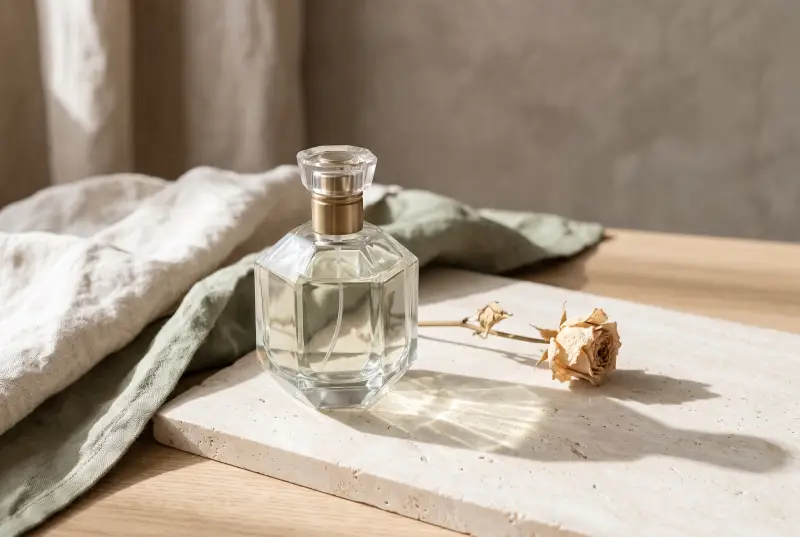
A perfume bottle is three hard things in one: clear glass that shows whatever sits behind it, a glossy surface that mirrors the room, and a small label, often in thin type.
In a new scene the old reflections no longer belong, so EcomShot says it creates new reflections and highlights and Pebblely adds shadows and reflections to match. New light can change the liquid too: Caspa AI warns that colored light can tint clear glass. Photoroom’s White Background tool leaves the bottle as photographed, while tools that redraw the whole bottle, Photta and Flair among them, can alter the label type.
So check the bottle’s shape, liquid color and label against the real bottle. Jars and tubes raise the same label question, covered in our comparison of cosmetics product photos, and the scene around the bottle in our comparison of lifestyle product photos.
The 11 AI product photography tools for perfume product photos
1. Photoroom: white-background and staged perfume product photos in a general photo editor
Photoroom is a product photo editor on the web, iPhone, iPad and Android, with a Shopify integration on Max and Ultra plans. White Background sets pure white RGB 255,255,255 behind the product, its AI tools run on up to 250 images at once, and Product Staging generates a lifestyle scene, two images per generation. Its pages read include no perfume page; its beauty page says it fine-tunes brightness, hue and contrast so packaging looks like real life.
- What happens to the glass and label: Its White Background page says the AI swaps only the background, so the bottle and label stay as photographed; its Product Staging scenes are generated, and whether the product is kept unchanged there is not stated.
- Price: Pro is $12.99 a month, or $89.99 a year ($7.50 a month), with 8,000 AI credits and 1,000 exports a month; Max is $34.99 a month and Ultra $99 a month, with 25,000 and 75,000 AI credits.
- Free start: Its pages say you can get started for free, and the pricing page offers a free trial whose length is not stated.
- Not for: Sellers who want stated handling of clear glass or reflections, which its pages do not describe, or a fidelity guarantee, offered only as an Enterprise add-on for food and fashion businesses.
- Pages read: 18 November 2026
2. Photta: studio, lifestyle and hero perfume product photos from one bottle photo
Photta is a browser-based AI product photography studio. Its perfume product photography tool is made for fragrance bottles, including cologne and eau de parfum: upload a bottle photo and choose a studio shot, lifestyle scene or hero shot, on backgrounds such as marble, velvet or glass. Photos come at 2K on every account and 4K on the Seller and Brand plans, in 1:1, 3:4, 4:3, 16:9 or 9:16. Every plan includes background removal, subject to fair use, and an API; the seller downloads finished photos and uploads them to the store.
- What happens to the glass and label: Photta makes the whole shot from your photo, so the bottle, reflections and label are redrawn, not pasted in; compare label text, logo and liquid color with the real bottle before publishing.
- Price: About $0.16 to $0.25 a photo at 2K on the monthly plans: Starter is $19 a month (or $29), Seller $49 (or $89) and Brand $119 (or $219 or $369), and yearly billing starts at $15 a month. 4K is on the Seller and Brand plans; one-time packs of $12 or $20 never expire.
- Free start: A new account can make about five product photos free, with no card; free photos carry a watermark until a first purchase.
- Not for: Sellers who need the original bottle pixels untouched, or photos sent straight into a store: no Shopify app or store sync is stated.
- Pages read: 18 November 2026
3. Product Shoot: perfume product photos that keep the bottle and label as uploaded, in every listing size
Product Shoot is a browser Studio that turns a phone photo into a white main image and backdrop scenes; its home page says every tool keeps shape, label, color and artwork as photographed. Its perfume page asks for the cap on and the bottle upright. Sizes are Amazon 1:1, Shopify 4:5, Etsy 4:3, Pinterest 2:3 or uncropped, with 1024 x 1024 for a square.
- What happens to the glass and label: Its perfume page says bottle shape, cap, juice color and label typography stay identical in every render, and that the bottle comes from the same upload as the white main image.
- Price: Starter is $15 a month for 1,000 credits, about 250 Standard images, from about 6 cents an image by its page; Pro is $30 a month for about 625 and Studio $50 for about 1,250, about $0.04 an image. A Standard image uses 4 credits; credit packs start at about 62 images for $4.99.
- Free start: Four free credits with no card, which is one Standard image; a watermark is not stated.
- Not for: Sellers who need large files or a bulk mode: the square size stated is 1024 x 1024, and a bulk mode is not named on its pages.
- Pages read: 17 November 2026
4. Caspa AI: template scenes for perfume product photos, with a warning about tinted glass
Caspa AI takes one product photo and lets you choose a white background, a model or a template scene, or type a prompt. It upscales to 4K, adds video on higher plans and has a Shopify app.
- What happens to the glass and label: Its perfume page says bottle and label are kept as photographed, and warns that colored light can tint clear glass.
- Price: Starter is $59 a month, or $39 billed yearly, for 500 credits and images only; Growth is $99 and Scale $249 per month. Credits per image are not stated.
- Free start: No free plan: a card is needed when you choose a plan, with a 30-day money-back guarantee.
- Not for: Sellers who want to try before paying, or need a known cost per photo first.
- Pages read: 15 November 2026
5. EcomShot: perfume product photos with new reflections and highlights on the glass
EcomShot generates studio and lifestyle photos from an uploaded product photo, with a perfume and fragrance category page, separate tools for AI model photos and product video, and a Shopify integration on paid plans.
- What happens to the glass and label: Its perfume page says the AI creates reflections and highlights for glass and preserves the liquid color and intricate bottle designs; the lines read do not address label text.
- Price: On yearly billing Starter is $10 a month for 60 product photos at 2K, Creator is $24 for 200 and Pro is $49 for 600 at 4K, about $0.08 to $0.17 a photo. Month-to-month prices were not stated.
- Free start: A free plan gives 5 credits on sign-up with no card, enough for 5 HD product photos.
- Not for: Bottles whose own reflections are part of the look, since its page describes creating new ones.
- Pages read: 15 November 2026
6. BudgetPixel AI: prompted ad scenes for perfume product photos from about $0.05 an image
BudgetPixel AI is a multi-model image and video generator with a perfume ad generator: upload a bottle photo, describe the scene, and it edits the image at 1K or 2K, adding reflective surfaces, flowers, water or stone.
- What happens to the glass and label: Its perfume page says the edit prompt can preserve silhouette, cap, glass color and label area, and that results can vary by source image.
- Price: Basic is $10 a month, which its page puts at from $0.05 an image; higher plans are $22, $55 and $125 a month.
- Free start: A free plan gives 300 credits a month with no card, enough for about 5 images, in eligible regions.
- Not for: Sellers who need an exact packshot every time: preservation is asked for in the prompt, and results can vary.
- Pages read: 15 November 2026
7. ProductAI: perfume product photos from a fragrance template, checked against your packshot
ProductAI turns one packshot into scenes through adaptive templates, one for fragrance, or your own prompt, and adds a Shopify integration and an API. Its page says transparent and highly reflective products are harder and may need a second attempt.
- What happens to the glass and label: On paid plans each image is checked against the uploaded photo, and a changed label, logo, shape or color is flagged for your approval.
- Price: In euros: €16 a month for about 40 product photos, €29 for about 85 with 4K, €49 for about 175 and €99 for about 375, which is about €0.26 to €0.40 a photo.
- Free start: Twenty free credits to start, with no card needed.
- Not for: Sellers who expect clear glass to come out right first time, given its note on transparent products.
- Pages read: 15 November 2026
8. YouArt: single styled perfume product photos from a described mood
YouArt is a multi-tool AI creation site whose beauty product photography generator covers fragrance: upload a product photo, describe surface, light and mood, and each run returns one styled 1K image.
- What happens to the glass and label: Its page says labels, logos, small text, colors and packaging geometry can change, and that this is not exact product retouching.
- Price: On yearly billing Basic is $7.99 a month for 1,000 credits and Pro is $23.99 a month; at 8 credits a run that is about $0.06 an image.
- Free start: A “Start for Free” button exists, but the tool needs sign-in and credits; the free amount is not stated.
- Not for: Batches or exact packshots: each run makes one image, and the page says the product can change.
- Pages read: 15 November 2026
9. Flair: perfume product photos staged with props on a drag-and-drop canvas
Flair is an AI design canvas: place the product, drag in props and mix in templates to build the scene. Its category pages name beauty, consumer packaged goods, jewelry, handbags, food and fashion models, not perfume. Upscales and variations start on Pro, and its FAQ says content made on the Free, Pro and Pro+ plans may be featured on the Flair Community site.
- What happens to the glass and label: Generated: its FAQ says Flair uses generative AI, which introduces some variation by design; glass, reflections and label text are not addressed on its pages.
- Price: Pro+ is $26 a month for 80 generated images and Scale $38 a month for 150, about $0.25 to $0.33 an image; Pro is $8 a month, its image count not stated.
- Free start: A free plan at $0 “forever” with 5 generated images and 1 video; a watermark is not stated.
- Not for: Sellers who need a perfume-specific workflow or an exactly kept label, which its pages do not describe, or private images by default below the Scale plan.
- Pages read: 17 November 2026
10. Pebblely: AI backgrounds for perfume product photos, with a page of perfume photo ideas
Pebblely generates backgrounds around an uploaded product photo, with 40+ background themes and custom prompts. It has category pages for skincare and beauty, candles and more, and a page of perfume photography ideas. Bulk generation comes with Basic and Pro, and paid plans add reference images and social media sizes. Its pages say refunds are not offered and that you own the images you generate.
- What happens to the glass and label: Its FAQ says the AI creates backgrounds from your upload and adds shadows and reflections to match; whether the bottle and label are kept or redrawn is not stated.
- Price: Lite is US$9 a month for 30 images, Basic US$19 for 200 and Pro US$39 for 500, about $0.08 to $0.30 an image; yearly billing gives “2+ months free”.
- Free start: No free trial: its pricing page says “We do not offer free trials.”
- Not for: Sellers who want to try it free first, since it offers no free trial and no refunds, or need a stated output resolution.
- Pages read: 17 November 2026
11. Adobe Firefly: new AI backgrounds behind perfume product photos, from a prompt
Adobe Firefly’s Generate New Background tool detects the subject of a photo, separates it from the background and generates a new environment. Its page says product images can be placed “in settings that match your brand, from a dreamy outer space scene to a stylish flat lay”, and one of its examples is a perfume bottle balanced on rocks and pebbles. Firefly also offers Generative Fill, Generative Expand and Prompt to Edit, with Adobe’s own models and partner models from Google, OpenAI and others.
- What happens to the glass and label: Its background page says new backgrounds blend with the subject and keep realistic light and shadows; it does not state that the bottle and label stay as photographed, so compare both with the real bottle.
- Price: Firefly Standard is US$9.99 a month for 2,000 credits, up to 400 images; Pro is US$19.99 a month for 4,000 credits, up to 800 images; Pro Plus is US$49.99 a month for 10,000 credits, up to 2,000 images.
- Free start: Firefly Free gives limited free daily generations with an Adobe account (the number is not stated), and the paid plans show a free trial.
- Not for: Sellers who need a stated guarantee that the bottle and label stay exactly as photographed, or a set number of free images.
- Pages read: 21 November 2026
How to check perfume product photos before you publish
Hold the real bottle next to the screen and go down this list.
| Check | What to look for |
|---|---|
| Bottle shape | Shoulders, base and proportions match the real bottle |
| Cap and sprayer | Same shape, color and metal finish; nothing added or missing |
| Liquid color | The juice is the shade you ship, not tinted by the scene’s light |
| Label text | Name, concentration and volume spelled as printed, in the same type |
| Reflections | Highlights fit the new scene; no window or room from the old photo |
| Marketplace rules | Size and background follow the rules of the site you sell on |
Which AI product photography tool for perfume product photos fits your shop
- You have a range of real bottle photos to put on exact white in batches: use Photoroom.
- You need studio, lifestyle and hero shots of one bottle on marble, velvet or glass: use Photta.
- You need bottle and label kept as photographed, in every marketplace size: use Product Shoot, or Caspa AI, which states the same.
- You need an advert with flowers, water or stone around the bottle: use BudgetPixel AI.
- You want each result checked against your packshot: use ProductAI.
- You want styled scenes with props or themed backgrounds: use Flair, or Pebblely’s background themes.
- You want a new prompted scene behind your bottle photo, with Adobe’s own and partner models: use Adobe Firefly’s Generate New Background.
FAQ: AI product photography tools for perfume product photos
What is the best AI product photography tool for perfume product photos?
It depends on the photo. Photoroom swaps only the background of your photo, Photta’s perfume tool makes studio, lifestyle and hero shots for about $0.16 to $0.25 a photo, and Product Shoot says bottle shape, cap, juice color and label typography stay identical.
Photoroom vs Photta vs Flair vs Pebblely vs Adobe Firefly: which is best for perfume product photos?
They do different jobs. Photoroom swaps the background behind your photo, Photta redraws the bottle in a studio, lifestyle or hero shot, Flair builds a styled scene with props, Pebblely generates themed backgrounds, and Adobe Firefly generates a new background behind your photo.
Can AI keep the label readable in perfume product photos?
It can, but check each result. Photta and Flair generate the bottle again and YouArt says labels can change; Product Shoot says label typography stays identical, Caspa AI says the label is kept as photographed, and ProductAI flags a changed label on paid plans.
How do AI tools handle glass and reflections in perfume product photos?
Differently. Photoroom’s White Background tool swaps only the background. EcomShot says it creates reflections and highlights for glass, Pebblely says it adds shadows and reflections to match the scene, and Caspa AI warns that colored light can tint clear glass.
How much do AI perfume product photos cost?
About $0.04 to $0.33 a generated photo on the plans read: Photta about $0.16 to $0.25 at 2K, Product Shoot about $0.04 to $0.06 a Standard image, BudgetPixel AI from $0.05, Pebblely about $0.08 to $0.30, Flair about $0.25 to $0.33 and ProductAI about €0.26 to €0.40.
Can I make perfume product photos with AI for free?
Yes, in small numbers. Photoroom says you can get started for free; a new Photta account can make about five product photos free, watermarked until a first purchase; Adobe Firefly gives limited free daily generations. EcomShot gives 5 free photos and Product Shoot 1, both without a card, ProductAI 20 free credits and Flair a free plan with 5 images; Pebblely says it offers no free trial.
Sources for this comparison of perfume product photos tools
- Read on 21 November 2026: Adobe Firefly, each on its own product, help and pricing pages.
- Read on 18 November 2026: Photoroom, Photta, each on its own product, help and pricing pages (for Photta, its pricing page, llms.txt and tool pages).
- Read on 17 November 2026: Product Shoot, Flair, Pebblely, each on its own product, help and pricing pages.
- Read on 15 November 2026: Caspa AI, EcomShot, BudgetPixel AI, ProductAI, YouArt, each on its own product, help and pricing pages.
- Photoroom’s and Flair’s pages read do not name perfume.
- Cost per photo is our own arithmetic from the listed plan prices, except where a vendor states it. Where a page does not state something, this comparison says “not stated”.
- The addresses of every page read are kept in this site’s source record for this post, so the facts can be refreshed.
The software in this comparison
Each profile shows what our other comparisons found about the same tool, and its closest alternatives.
Head-to-head for tools in this comparison
Related comparisons
-
Best AI Product Photography Tools for Cosmetics and Skincare (2026): Photoroom vs Photta vs Flair vs Pebblely vs Canva
-
Best AI Product Photography Tools for Lifestyle Product Images (2026): Photoroom vs Photta vs Pebblely vs Flair vs Adobe Firefly
-
Best AI Product Photography Tools to Replace Backgrounds (2026): Photoroom vs Photta vs Adobe Firefly vs Canva
-
Best AI Product Photography Tools for Ecommerce (2026): Photoroom vs Photta vs Pebblely vs Flair
Corrections
Prices and features change. If something in this post is out of date, write to support@descriptra.com and we will check it against the vendor’s page and correct it.